Instant CMA
Instant Comparative Market Analysis (CMA) for Agents
By preparing an impressive and accurate comparative market analysis (CMA) for your clients, you develop your marketplace knowledge and your assurance in your pricing recommendations. That knowledge and certainty will instill client confidence and wise decision-making. In order to help you provide a comprehensive CMA for your clients in a matter of minutes, we have developed Instant CMA. This tool allows you to quickly and efficiently create a comparative market analysis for your clients from a desktop or mobile device.
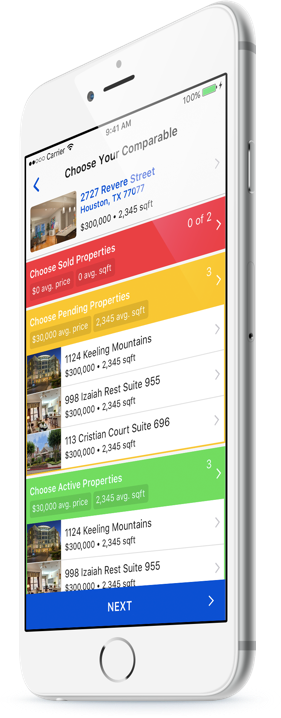
How to access from HAR.com App
You will need to be logged in as an MLS Subscriber in the HAR.com App on any mobile device.. After selecting a listing, scroll down to the ‘MLS Subscriber Info’ section of the ‘Property Details’ window of the listing. Click on the ‘Create a CMA’ button.
How to access from HAR.com
To access Instant CMA from your desktop, simply login to HAR.com. From the dashboard, search ‘Instant CMA.’
New approach to generating CMAs
Easy design with more consumer-friendly details
Generate professional and sleek PDFs with side-by-side comparisons & photos
Share reports with your clients on Facebook, other social media outlets, or by providing a QR code
